A page can look finished in the WordPress editor while sending buyers to a broken link. It can quote last year's price next to this year's booking form. It can also contain a perfectly good sentence that an AI reviewer wants to rewrite because it sounds informal. Treat those findings differently. One can prevent a sale, one can create a customer dispute, and the third may be a style choice you want to keep.
A WordPress content audit works best when it ends with a decision about each finding. Here is a way to run one on a small site without turning it into a month of reading and rewriting. Start with the pages where a mistake costs your business something or sends a customer down the wrong path.
Choose the pages that can hurt a sale
Start with the homepage, the top service or product pages, and anything people read just before buying. Include the contact page, pricing, delivery and returns, and a representative confirmation message. If you have traffic data, use it to spot entry pages people often reach directly. Ask customer support which pages they spend time explaining. A low-traffic policy page can still deserve early attention if it leads to refunds or complaints.
Put the URLs in a simple sheet with an owner and a last-checked date. Give each page one job. A pricing page should help someone understand what they will pay and what is included. A product page should help them choose a suitable item and buy it. A page with two different prices is easier to prioritise when everyone agrees that the job is to make the price clear.
Test the page from the customer's side
Visit the public page on a phone or in a narrow browser window. Follow the main link or button and confirm it leads where the text says it will. If it opens a form, test it with an approved test address and check what happens after submission. Watch for hidden errors, mismatched labels, and links that work only for a logged-in administrator. If a checkout is involved, use a test environment or test payment setup.
Read the headings in order. Can you tell what the page is about and where to find the next detail? Tab through the page and look for a visible focus marker on each interactive control. Check that meaningful images have useful text alternatives where they need them. These are starting checks rather than a complete accessibility assessment. The W3C's accessibility easy checks give reviewers a useful reference for common issues.
Sort what you find into three piles
Record an issue as confirmed if someone can reproduce it. A booking link that returns a 404 is a good example. Include the URL, the link text, what you expected to happen, and what happened. If only some users are affected, include the conditions you saw. Someone else should be able to follow your note and find the same problem without asking you to screen-share.
Use a separate pile for facts that need an owner. Two prices on the same service page are worth flagging immediately, but the reviewer may not know which one is correct. Send the question to the person responsible for the offer and keep it open until they confirm the answer. Use a third pile for writing suggestions. If the page is accurate and easy to understand, give its author the final call on whether a new phrase is better.
Work through a real kind of disagreement
Imagine a gym runs a beginner class. Its landing page says the trial costs £10. The booking form asks for £15, and an old FAQ calls it free. Fixing the first number alone could leave the other two in place. Ask the person who owns pricing to confirm the trial terms and whether any existing offers still apply. Then find where each amount comes from. The FAQ might be a shared WordPress block, while the form might pull a price from a booking system.
Make the smallest set of changes that fixes the mismatch. Check the class page, the FAQ, the booking form, and the confirmation the customer sees. Ask the owner to approve the actual price and the editor to check the copy around it. Record all four locations in the audit so the next price change has a ready-made checklist. That is a much better outcome than a higher content score with one contradictory number still live.
Give every fix a finish line
A useful issue note has five parts. Write down the affected URL, what you saw, why it matters, who owns it, and what will prove it is fixed. “Improve checkout copy” can stay open for weeks. “Delivery page and checkout both say orders placed by noon ship the next working day” gives everyone something specific to check. Include a screenshot or short recording when the error is difficult to describe.
After publishing, repeat the original test on the live URL. Open a new session if a cache or login can change what you see. WordPress revisions can help compare and restore earlier editor content, but shared templates or plugin settings may need separate checks. Keep the date, reviewer, and proof of the fix in the audit. If the same issue returns, that record can show which part of your publishing process needs attention.
Keep a small audit trail
A good handover can fit on one line in your review sheet. For the gym example, record the trial page address, the pricing mismatch, the approved amount, the person who confirmed it, and the date somebody checked the live booking. Link to the ticket or approval if your team already uses one. Avoid copying private customer details into a shared audit. A test booking reference is usually enough to show that a step worked.
Read through open items with the people who can actually close them. Decide which findings block a campaign, which belong in a future maintenance slot, and which need an answer from another team. If there is a campaign starting tomorrow, a broken booking link belongs at the top. A suggestion to shorten a well understood introduction can wait. This quick review keeps the audit from turning into a list of edits with no order. Reuse the same sheet next month and check whether the highest priority issues stayed fixed. Put any issue that returns on the agenda for your next publishing review.
Review the work with your editors
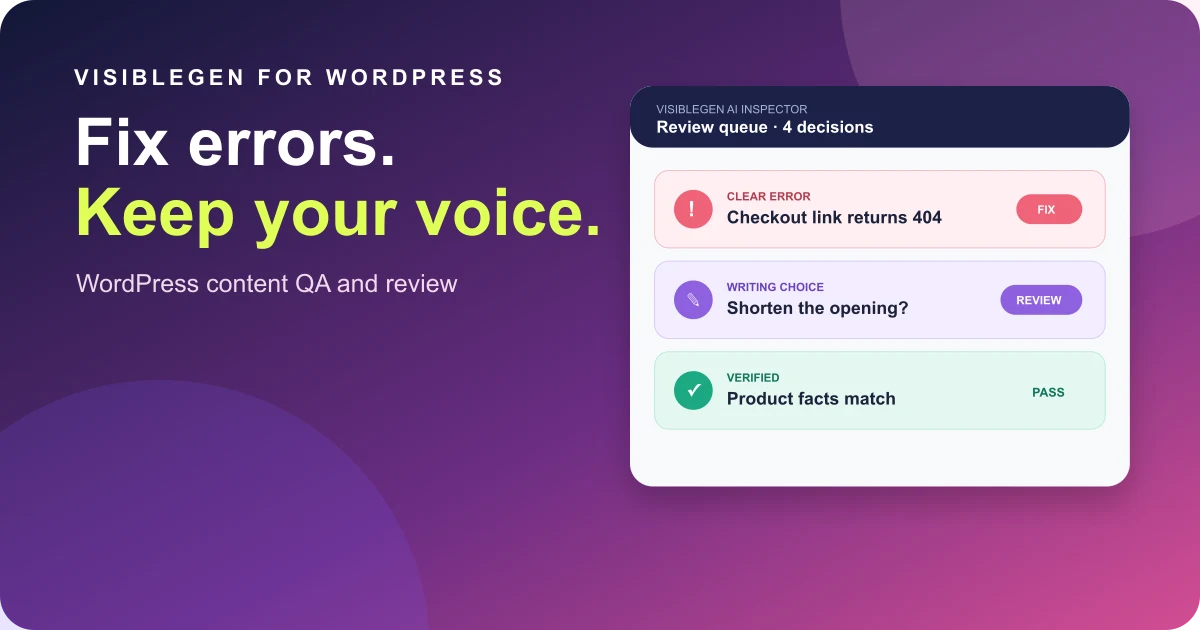
VisibleGen AI Inspector is an early-access preview built around the distinction between clear errors and writing choices. You can see how flagged items might be reviewed and join the waitlist if that is the sort of workflow your team needs. Keep subject experts responsible for facts and editors responsible for voice.
To try the process now, take one customer-facing page and spend twenty minutes checking it. Follow the main action, compare one claim with its source, and read the page in a narrow window. Hand the first confirmed issue to the right person with a clear test for closing it. When the fix goes live, run the test again and note the result. You will finish with a useful repair and a review method your team can repeat.